
YouTube, Veoh, MetaCafe, DailyMotion, Google Video and other similar sites provide free video streaming online. These sites are getting popular and more popular and it seems like everyone are downloading videos off these sites. Found a cool video online, want to watch it on your iPod or mobile and share with your friends.
There are many ways to download videos online for free, whether you are using web apps or software to download them. For those who don't know how to download videos, i will show you 
With realplayer you can download almost in all websites that provide FLV videos online. It is easy, not like other software or other site. Slow download, plus supports video transfer to video-capable iPod Nano and iPod Classic devices. Read more : Downloading FLV Videos For All Websites Using Realplayer
Web apps that support multiple sites like LiveVideo, Youtube, iFilm, PutFile, MetaCafe, Break and many more.
Supports just about any video sharing site out there and the only difference about this site is that it also has a Top Videos section
Download video files to your computer, iPod, iPhone, or any other media player. You’ll need to have an FLV player for the YouTube videos. Free and powerful software that download and convert Flash/FLV files (YouTube videos) faster and better than most transcoder. Watch your downloaded videos on your iPod or with Windows Media Player with this completely free tool.
Don't forget to Subscribe to The-Online-Quest via RSS or you can receive daily updates via Email.
Signing off..
12.13.2008
5 Awesome Free ways to Download Videos Online
7.05.2008
Top Free Online YouTube Converters

Convert YouTube Videos to Animated GIF images
Gickr - Create a GIF animation from YouTube videos!
Video2Gif - Convert Flv Video to GIF Avatar,input the URL of Youtube,myspace and metacafe.
Ubuntuforums.org - Ubuntu Tutorials HOW-TO: Convert a video on youtube to animated gif.
YouConvertIt - Convert any media file format (Documents, Images, Audio, Video & Archives) without buying or installing anything on your PC
Lifespy.com - Tutorials on how to Convert Animated GIF Files to AVI.
Convert YouTube Videos to MP3
ListenToYouTube - Is the most convenient online application for converting YouTube flash video to MP3 audio
Media Converter - The fastest free online audio converter.
FLV to MP3 - Convert your FLV files or YouTube videos to MP3.
VidToMP3 - Convert YouTube and Myspace Videos to MP3.
WmaTo - Convert YouTube Videos to MP3 fast.
Convert YouTube Videos to different video formats
Vixy - Allows you convert a Flash Video / FLV file (YouTube's videos,etc) to MPEG4 (AVI/MOV/MP4/3GP) file online.
Vconversion - Converts and downloads YouTube videos direct to PC.
CatchVideo - Enables you to convert YouTube videos into any number of different video formats and then to download these to your computer.
ConvertDirect - Convert Online FLV/YouTube Video to AVI/WMV/MP4/MOV/3GP/iPod/PSP Directly.
Movavi - Free Online Video Converter.
ConvertYouTubeVideos - Download online videos from YouTube, MySpace, Google, Bolt, iFilm, DailyMotion, Blip.tv and Break.com.
VideoDL.org - Download Online Video (Google Video, YouTube etc) in a Flash!
VideoConvertX - Convert FLV to AVI or many other formats on the fly.
5.29.2008
Play youtube videos in MS Powerpoint
 Sometimes while giving presentations in office you want to play some management related YouTube videos and those you play in between presentation by
Shyam Pillai, a Microsoft PowerPoint MVP (Most Valuable Professional), has developed a tool to use to link to a YouTube Video within your PowerPoint 2007 presentation. Use this to insert YouTube videos into a PowerPoint slide. All you need to do is to provide the YouTube video URL that appears in the browser address bar, the rest is taken care of by the YTV Wizard.
A live internet connection is required to playback the video during the slideshow. Use the free FlashBack add-in to play/rewind the YouTube video automatically.
How to install ?
1. You need to first extract the contents of the zip to a folder.
2. Open PowerPoint.
3. Click on Office Button PowerPoint Options.
4. In the PowerPoint Options dialog, select the Add-ins tab.
5. Select 'PowerPoint Add-ins' from the Manage drop down and click 'Go...'
6. On the Add-ins dialog, click 'Add New...' .
7. Navigate to the folder where the contents of the zip file was extracted and select 'YouTubeVideo2k7.ppa' and click on OK.
8. During installation process you might be prompted with the macro virus warning. Enable the macros. When the Add-in is properly loaded, it will display a tick against the add-in name.
How to use ?
1. Select on Insert Tab click on YouTube Video.
2. Enter the URl to the YouTube video.
3. Provide the additional info required.
4. YTV will create the slides with Flash control embedded on the slide.
5. Run the slide show.
6. The video will be displayed during the slide show.
Credits to http://www.technologyhacker.com
See Also :
4.23.2008
Create Animated Gif Images Online
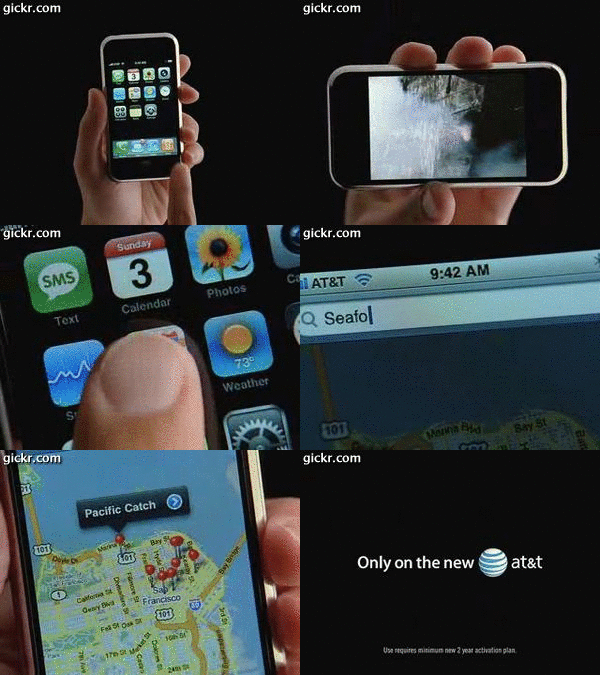 Do you want to create your own animated gif images but you have no software to do it or you don't know how to do it? No gif images in forum avatar or boring plain images in your forum avatar?
Now you can create your own animated GIF images online free! You can create your own animated GIF images with two methods. That is Gifworks and Gickr.
Ok, lets start with Gickr first. This site is very cool that you can convert Flickr photos and YouTube videos into GIF image.
Gickr is a free service that lets you create GIF animations online.
How does it work?
Find your favourite movie scene or music video on YouTube and pass the URL to gickr. And animated GIF image, made from your favorite video, will be available for download within few seconds.
How do I get started?
Click here to begin to upload videos from YouTube
Click here to begin to upload photos from Flickr
Type the URL of YouTube video or Flickr and Gickr will almost instantly convert into a GIF animation. And the quality is actually quite good.
This is what get from Gickr
Cool huh?
Now lets go for Gifworks. Let me tell you what is Gifworks.
What is GifWorks.com?
It's an online GIF image editor.This unique tool is completely on-line -- nothing to download or install. Better yet, it's ABSOLUTELY FREE -- no prepaid tokens or subscriptions.
There you go, how you like the sound of that. You either upload a GIF from your hard drive or from a URL. You can edit, put effects to it and optimize it.
How do I get started?
Click here to begin.
This is what i get from Giftworks
Cute huh?
So what are you waiting for? Go and create your own animated GIF images!
See Also :


